How to Build Customer Trust With ReviewShare Pages
Marketing & Growth Associate
On this page▾
Customers rarely make decisions based on what a business says about itself. They look for evidence from people who have already experienced its products or services.
A homeowner searching for a plumber checks Google reviews. Someone choosing a restaurant compares Yelp ratings with Instagram posts. A prospective homebuyer reads client testimonials before contacting a real estate agent.
These customers are looking for the same thing: reassurance that a business is worth trusting.
For local businesses, the challenge is not always getting positive reviews. It is making those reviews visible, relevant, and easy to explore when potential customers are deciding what to do next.
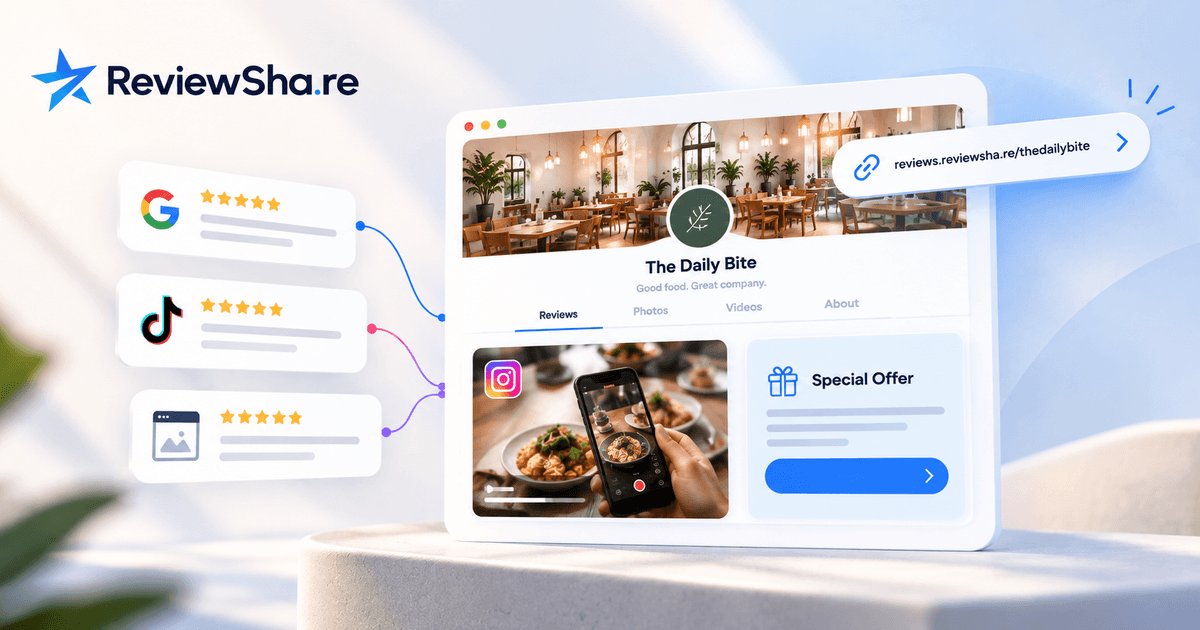
ReviewShare brings customer reviews, testimonials, and social media content together on a single branded Review Page. Instead of sending potential customers across different platforms, businesses can present their reputation through one shareable destination.
Here is how to use ReviewShare Pages to establish credibility, strengthen customer trust, and make existing social proof more valuable.
Why Customer Trust Starts Before the First Conversation
Trust begins forming long before someone calls, books, or visits a business.
A customer might discover a salon through Instagram, search its name on Google, and check reviews before booking. Each interaction contributes to their impression of the business.
The problem arises when these experiences are disconnected.
A business may have excellent Google ratings, detailed Yelp reviews, and enthusiastic customer posts on Instagram. Yet someone visiting its website might see none of them.
That creates a gap between the reputation a business has earned and the reputation a potential customer actually experiences.
What Makes Online Reviews Trustworthy?
A five-star rating attracts attention, but ratings alone rarely answer everything customers want to know.
Someone hiring a cleaning service might want to know whether the team arrives on time. A restaurant customer might care about service consistency, while a pet owner wants reassurance about how a groomer handles anxious animals.
Useful social proof provides that context.
Customers generally look for several signals when evaluating online reviews:
- Relevance: Does the feedback describe the service or experience they need?
- Recency: Are there recent experiences that reflect the business today?
- Specificity: Do reviews explain what made the experience positive or negative?
- Consistency: Do different customers describe similar strengths?
- Authenticity: Does the feedback appear genuine rather than selectively manufactured?
These signals explain why displaying a handful of generic compliments is not always enough.
A convincing reputation is built through recognizable customer experiences, not simply the highest possible rating.
What Is a ReviewShare Page?
A ReviewShare Page is a customizable, branded destination where businesses organize and showcase customer reviews, testimonials, and social proof collected across different channels.
Rather than treating each review platform as a separate marketing asset, ReviewShare gives businesses a central place to present customer experiences.
A ReviewShare Page can bring together:
- Platform reviews: Customer feedback from Google, Yelp, TripAdvisor, Zillow, and other supported sources.
- Direct testimonials: Reviews collected through ReviewShare's own review form or imported from existing records.
- Social media content: Relevant Instagram posts and YouTube content that showcase customer experiences.
- Organized review collections: Selected reviews grouped around services, customer experiences, or business strengths.
- Branded presentation: Customized layouts, headers, colors, and fonts that align with the business's identity.
Businesses can share their Review Page through websites, social profiles, email communications, and other customer touchpoints.
The value is not merely putting more reviews in one place. It is making customer experiences easier to discover and understand.
ReviewShare Pages vs. Individual Review Platforms
Review platforms remain important. They support local discovery, give customers independent places to share experiences, and contribute to a business's online presence.
A ReviewShare Page serves a different purpose: it brings relevant evidence together for customers who are already evaluating the business.
Customer experience | Individual review platforms | ReviewShare Page |
Finding reviews | Visit separate platforms | Explore supported reviews in one destination |
Comparing experiences | Switch between Google, Yelp, and other sources | View different customer experiences together |
Seeing social content | Open separate social media profiles | Showcase selected social posts alongside reviews |
Exploring specific services | Search through general feedback | View organized review groups |
Sharing reputation | Send multiple platform links | Share a single branded link |
Brand presentation | Platform-controlled appearance | Customizable branded layout |
The distinction matters: ReviewShare does not replace independent review platforms. It makes the reputation businesses build across those platforms easier to present and share.
How to Use ReviewShare to Build Customer Trust
Building trust through a ReviewShare Page requires more than connecting accounts and publishing a link.
The strongest approach is to organize customer experiences around the questions potential buyers are trying to answer.
1. Bring Your Customer Reviews Into One Place
Start by connecting the review platforms your customers already use.
A restaurant might prioritize Google, Yelp, and TripAdvisor. A real estate agent might bring together Google and Zillow testimonials.
ReviewShare consolidates supported reviews into a centralized experience, reducing the need to manually recreate testimonials across multiple pages.
Businesses with existing customer feedback can also use CSV imports to bring relevant testimonials into their collection.
This creates a more complete foundation for their online reputation.
Practical tip: Start with the platforms containing your strongest mix of recent, detailed, and relevant customer feedback. Review volume matters, but useful context matters just as much.
2. Organize Reviews Around What Customers Want to Know
Not all potential customers are looking for the same reassurance.
Consider a real estate agency serving first-time buyers, property sellers, and investors. A general collection of testimonials might demonstrate overall satisfaction, but each audience has different concerns.
ReviewShare's Review Groups let businesses organize selected feedback into meaningful collections.
For example:
Business | Suggested review group | Customer concern addressed |
Real estate agency | First-Time Homebuyers | Guidance and communication |
Cleaning service | Deep Cleaning | Thoroughness and attention to detail |
Restaurant | Dining Experiences | Food quality and service |
Pet grooming salon | Nervous Pets | Safety, patience, and handling |
Plumbing company | Emergency Repairs | Responsiveness and reliability |
This is where customer reviews become more than a collection of ratings.
They become evidence that addresses specific purchase concerns.
A customer considering an emergency plumbing service is more likely to value a detailed account of a timely repair than a generic comment saying the company was excellent.
Practical tip: Build review groups around services, customer needs, or recurring strengths rather than creating too many categories with little meaningful content.
3. Combine Written Reviews With Social Proof
Written reviews explain customer satisfaction. Social content adds another dimension by showing experiences visually.
A salon customer might post a video of their haircut. A restaurant guest might share a dining experience on Instagram. A real estate client might publish a testimonial video after closing.
ReviewShare lets businesses showcase supported social media content alongside customer reviews.
This is particularly useful when the product or service has a strong visual element.
Consider two testimonials about a hair salon:
- A written review describing a stylist's attention to detail.
- An Instagram video showing the finished hairstyle and the customer's reaction.
Both communicate value differently. Together, they give prospective customers more context about the experience.
The objective is not to overwhelm visitors with content. It is to combine different forms of credible customer evidence.
4. Customize Your Review Page to Match Your Brand
A customer's impression of credibility is influenced by how information is presented.
A disorganized page with inconsistent visuals, unclear navigation, or unrelated content can make even positive testimonials harder to evaluate.
ReviewShare allows businesses to customize their Review Page with branded headers, layouts, colors, fonts, and other presentation options.
For local businesses, consistency is particularly important.
Someone moving from a business website to its ReviewShare Page should recognize that the two belong to the same brand.
Use a clear business name, recognizable logo, and familiar visual style. Organize the page so visitors can quickly understand what the business offers and what customers say about it.
A professional presentation makes the evidence easier to navigate. It should support authentic reviews, not distract from them.
5. Share Your Review Page Where Customers Make Decisions
A well-organized ReviewShare Page has limited value if potential customers never encounter it.
The next step is distribution.
Instead of expecting customers to discover reviews independently, place your Review Page link at points where they naturally seek reassurance.
Customer touchpoint | How to use your ReviewShare Page |
Website homepage | Introduce the business's customer reputation |
Service or landing page | Link to relevant customer experiences |
Instagram or Facebook bio | Give profile visitors a destination for reviews |
Sales emails | Share proof of previous customer experiences |
Consultation follow-ups | Address concerns before a commitment |
Digital proposals | Support claims with relevant testimonials |
For example, a cleaning business sending a quote can include its ReviewShare Page so the homeowner can explore customer feedback before confirming the appointment.
A real estate agent can share testimonials relevant to sellers after an initial consultation.
The goal is simple: make trust accessible at the moment someone needs it.
Why a Single Review Page Is More Effective Than Sending Multiple Links
Imagine a prospective customer asks a business owner, "Where can I see your reviews?"
The owner sends a Google review link, a Yelp profile, and an Instagram account.
The customer now has three destinations to navigate, each with different layouts, content, and distractions.
Even when the feedback is positive, the experience requires extra effort.
A single ReviewShare Page offers a more focused path.
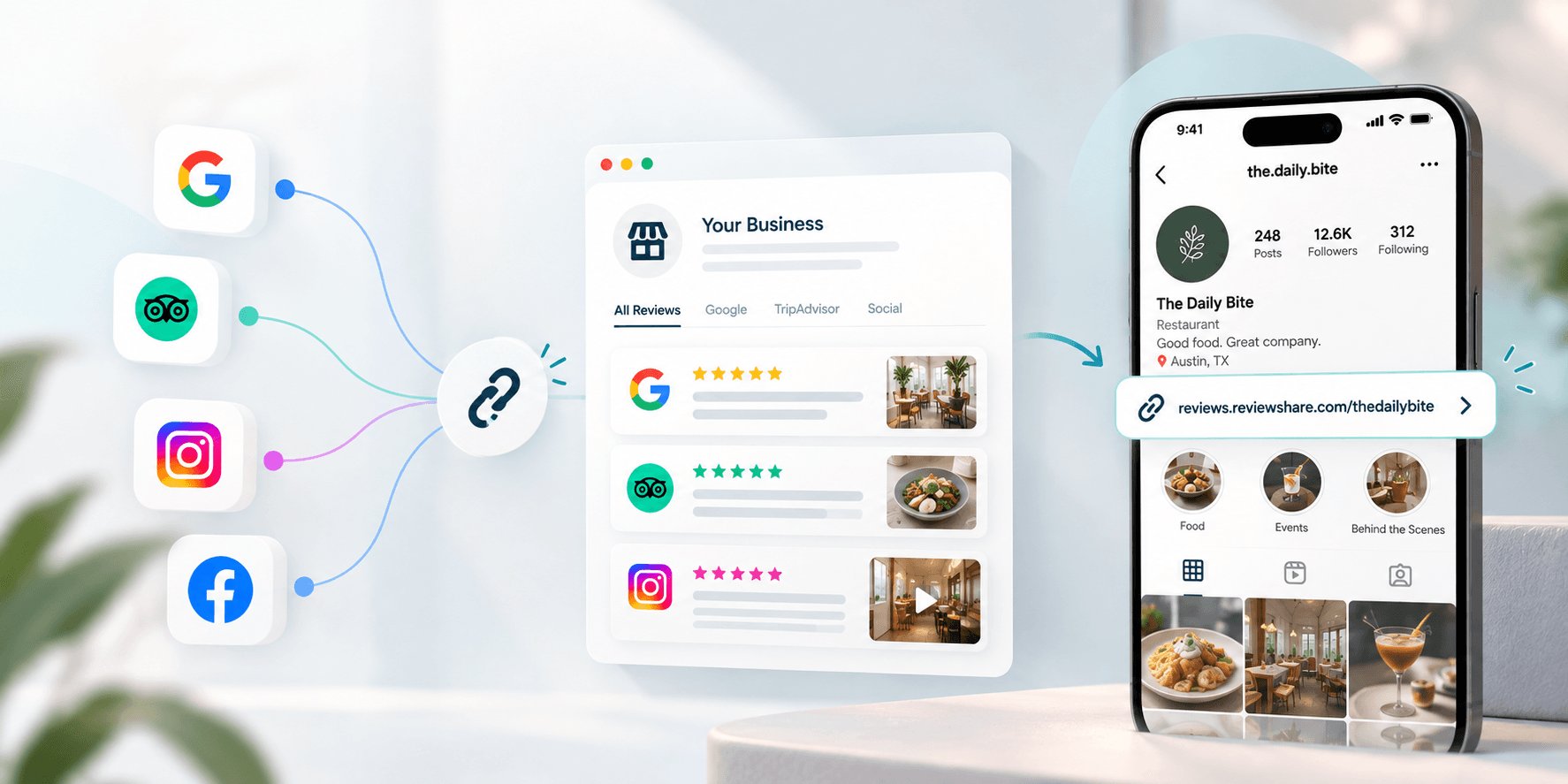
This does not mean customers will automatically trust a business because its reviews are centralized.
It means they evaluate more relevant evidence without repeatedly changing platforms.
The Difference Between More Reviews and Better Review Visibility
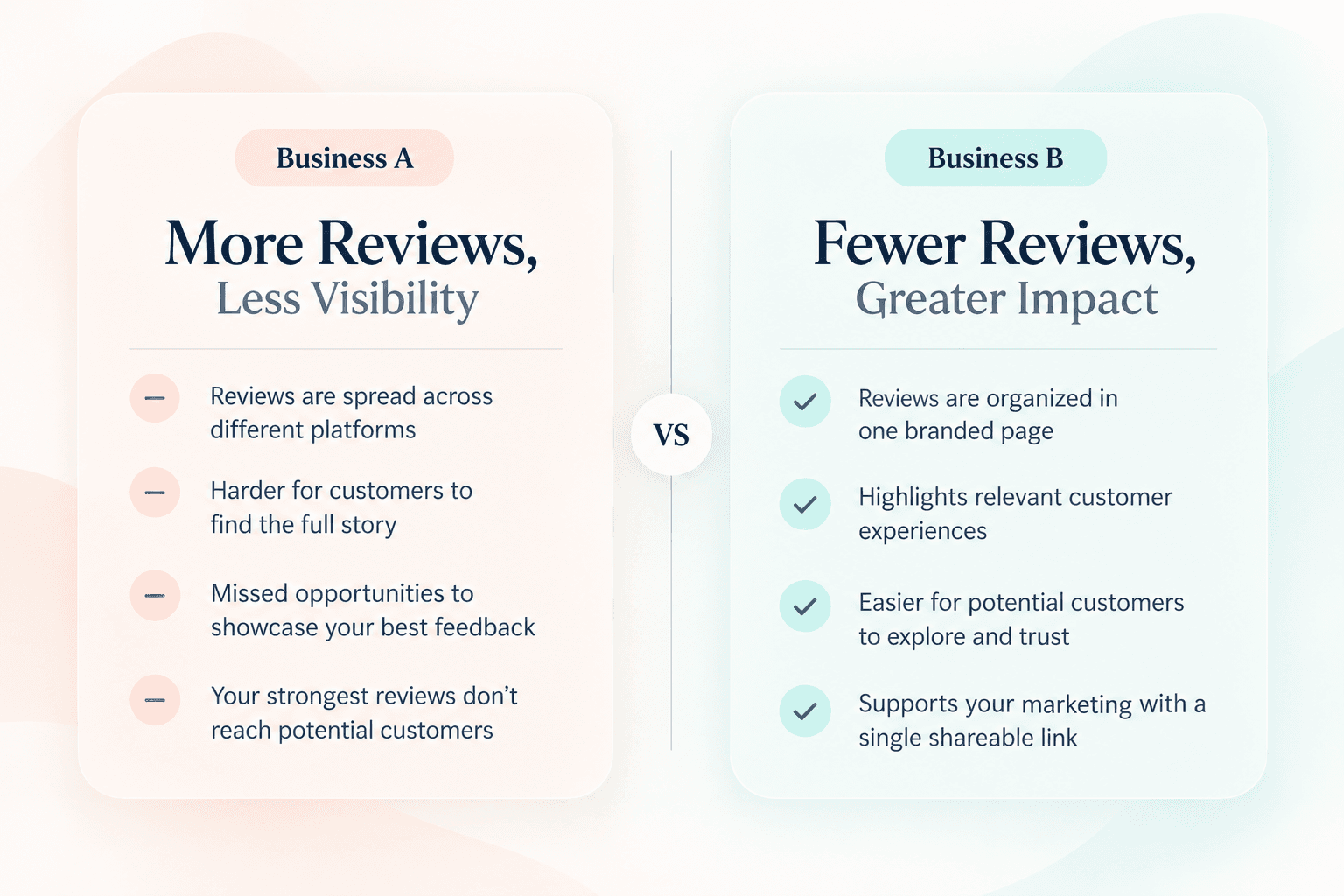
A business with 300 reviews is not necessarily presenting stronger social proof than one with 80.
Consider two businesses with different approaches:
Business A: Has hundreds of positive reviews across several platforms but rarely references them on its website or during customer conversations.
Business B: Has fewer reviews but organizes detailed testimonials by service, displays recent feedback, and shares relevant customer experiences during the buying process.
How to Turn Your ReviewShare Page Into a Long-Term Marketing Asset
A Review Page should not be treated as a one-time setup task.
Customer expectations change, services evolve, and new feedback becomes available. A page that reflects the business's current customer experience is more useful than one filled entirely with old testimonials.
Keep Customer Feedback Current
Connect supported platforms for ongoing review synchronization, and revisit the page periodically to check which experiences are most relevant.
Recent reviews provide evidence that customers are still interacting with the business.
However, older testimonials do not automatically lose their value. A detailed account of a complex project may remain useful when it addresses an important customer concern.
The strongest approach balances recent activity with substantive examples.
Use Testimonials to Address Common Sales Objections
Customer reviews often reveal what prospective buyers worry about most.
A cleaning service might frequently receive questions about reliability. A real estate agent might need to establish local market expertise. A restaurant might want to demonstrate consistency during busy periods.
Instead of answering these concerns exclusively through promotional claims, businesses can highlight genuine customer experiences that speak to them.
For example, a plumbing company could create a group of testimonials describing emergency callouts, response times, and completed repairs.
This turns existing feedback into practical supporting evidence for customer conversations.
Extend Social Proof Beyond the Review Page
ReviewShare also offers customizable review widgets that businesses can embed on their websites.
This creates two complementary ways to display customer feedback:
- Review Page: A dedicated destination for exploring customer experiences.
- Review widgets: Selected customer feedback displayed directly within existing website pages.
A business can use a widget to introduce credibility on a service page while linking to its full ReviewShare Page for visitors who want additional context.
Both serve the same broader objective: make authentic customer experiences visible throughout the buying journey.
How to Know Whether Your Review Page Is Building Trust
Publishing a Review Page is a starting point. Understanding its role in customer decisions requires looking beyond the number of reviews displayed.
Businesses should evaluate whether customers are encountering useful social proof and whether it supports meaningful conversations.
Some practical questions include:
- Are potential customers opening the Review Page from emails or website links?
- Do customers mention specific testimonials during consultations?
- Which services generate the most requests for reassurance?
- Are recent reviews represented alongside established customer experiences?
- Do sales conversations reveal recurring concerns that existing testimonials could address?
Where appropriate, businesses can use tagged links and website analytics to evaluate referral traffic and related customer actions.
These observations do not prove that a Review Page caused a purchase. They provide a clearer picture of where social proof fits into the customer journey.
One especially useful practice is to ask new customers what influenced their decision.
If customers repeatedly mention a testimonial, a review platform, or a social media post, that feedback can guide which experiences the business prioritizes.
Common Mistakes to Avoid When Showcasing Customer Reviews
Even positive reviews lose their impact when presented poorly. Avoid these common mistakes:
- Generic testimonials: Prioritize specific customer experiences over vague praise.
- Ignoring negative reviews: Respond professionally and address customer concerns.
- Outdated feedback: Keep reviews recent and relevant.
- Irrelevant testimonials: Highlight reviews that match your services and customer needs.
- Misleading reviews: Never fabricate, manipulate, or misrepresent customer feedback.
Building trust goes beyond collecting reviews. How you respond matters just as much. Learn [how to respond to customer reviews] to strengthen customer relationships and protect your online reputation.
FAQs
1. Do I still need Google reviews if I have a ReviewShare Page?
Yes. Google reviews remain important for customers discovering and evaluating local businesses through Google Search and Maps.
A ReviewShare Page complements those reviews by presenting them alongside other supported testimonials and social proof. It does not replace your Google Business Profile or transfer reviews between platforms.
2. What if my business has only a few customer reviews?
You can begin with a small collection of genuine, detailed reviews. Prioritize feedback that explains real customer experiences rather than waiting to reach an arbitrary review count.
As your business collects more feedback, you can expand and organize your ReviewShare Page.
3. Can I use ReviewShare without a website?
Yes. A ReviewShare Page provides a standalone, shareable destination for your customer reviews and testimonials.
You can include the link in social media profiles, emails, and other customer communications without building a separate website.
4. Can I organize different types of customer reviews on one page?
Yes. ReviewShare's Review Groups allow you to organize selected customer feedback around different services, experiences, or business strengths.
For example, a real estate agency can create separate collections for buyers and sellers, making relevant testimonials easier to explore.
5. Will a ReviewShare Page improve my Google ranking?
A ReviewShare Page does not guarantee higher Google rankings.
Google evaluates local search results using factors such as relevance, distance, and prominence. Genuine reviews and positive ratings can contribute to local prominence, but creating a separate ReviewShare Page is not a shortcut to higher local rankings.
Its primary value is making existing customer feedback more accessible and useful to prospective customers.