Google Reviews: Get More Reviews & Build Local Trust | ReviewShare
Marketing & Growth Associate
On this page▾
Search for a restaurant, realtor, dentist, cleaning company, or almost any local service on Google and you'll probably see reviews before you visit a single website.
The star rating is there. So is the number of reviews. You can read what recent customers liked, what frustrated them, and whether the business took the time to respond.
For a potential customer, that is a useful shortcut. They don't have to rely only on what a business says about itself. They can see what people who have already bought, booked, visited, or hired that business have to say.
For the business, Google reviews have an equally important role. They can support local search visibility, help build trust before the first conversation, provide direct customer feedback, and give prospective customers another reason to choose one business over another.
Google confirms that local search results are mainly influenced by relevance, distance, and prominence. Review count and positive ratings are among the signals connected with prominence, and Google says more reviews and positive ratings can help a business's local ranking.
That makes collecting reviews worth taking seriously, but collecting them is only the beginning.
A useful Google review strategy also considers when and how customers are asked for feedback, how the business responds, what happens when a negative review appears, and how good reviews can be used after they have been published. Businesses that treat reviews as part of their wider reputation strategy can get far more from them than a higher number beside their Google Business Profile.
This guide covers that entire process, including how ReviewShare can help businesses automate review collection, centralize Google reviews and other social proof, choose what they publish, display reviews through a branded ReviewShare Page and website widgets, and understand how that content performs.
What are Google Reviews?
Google Reviews are public ratings and customer feedback connected to your Google Business Profile and shown across Google Search and Maps. Customers can leave a one-to-five-star rating, write about their experience, and give future customers a view of your business that doesn't come from your own marketing.
But a Google review carries more information than the star rating alone.
A prospective customer can look at how many people have reviewed your business, how recently those reviews were posted, what customers repeatedly mention, and how your business responds when the experience isn't perfect. Together, those details create a much fuller picture of your reputation.
For the business, reviews can work the same way in reverse. If customers repeatedly praise your communication, turnaround time, staff, or a particular service, you start to see what people actually value about choosing you. Recurring complaints can be just as informative.
That makes Google Reviews useful in two directions: they help prospective customers understand your business, while giving you direct insight into the reputation your customers are building for you.
Why Google Reviews Matter for Local Search
Google Reviews become especially important when someone is searching locally and comparing businesses they could realistically choose.
Google says local results are primarily based on relevance, distance, and prominence. Reviews are connected to that last factor: Google states that more reviews and positive ratings can help a business's local ranking.
[Source: Google Business Profile Help – Tips to improve your local ranking on Google]
Reviews are therefore part of local visibility, but there is another side to their value.
Ranking gives you the opportunity to be seen. Your reviews help shape what happens once you are.
Someone comparing several businesses in Google Maps can see ratings, review volume, customer comments, and business responses before visiting a website. Two businesses appearing in the same search can therefore make very different first impressions.
This is why simply "having Google Reviews" isn't much of a strategy. A business may serve hundreds of satisfied customers while its Google profile shows only a small or outdated sample of those experiences because review requests happen inconsistently.
A better approach is to make genuine review collection part of the customer journey. Over time, your Google presence has a better chance of reflecting the customers you are actually serving and the reputation they are already building for your business.
Get Positive Google Reviews Without Feeling Like Transaction
Many customers are willing to leave feedback. The problem is that leaving a review is rarely at the top of someone's to-do list.
They finish their appointment, receive their order, close on their house, leave the restaurant, or get their car back and move on with the rest of their day. Even when the experience was excellent, they may never think about reviewing it unless the business asks.
A consistent Google review process doesn't need to be complicated:
- Ask at the right time: Request feedback after the customer has had enough experience with your business to form a genuine opinion.
- Keep the request neutral: Ask customers to share their experience rather than requesting a positive or five-star review.
- Use a direct review link: Send customers directly to your Google review page instead of asking them to search for your business.
- Use existing touchpoints: Add review requests to follow-up emails, receipts, text messages, or other customer communications.
- Reduce unnecessary steps: The easier it is to reach the review form, the more convenient the process is for customers.
- Ask consistently: Make review requests part of your regular customer journey instead of relying on occasional review campaigns.
- Automate where appropriate: ReviewShare can automate review collection so requests don't depend on someone remembering to send them manually.
Google Review Request Dos and Don’ts
Asking for Google reviews is allowed, but how you ask matters.
Google requires reviews to reflect genuine experiences and prohibits businesses from using incentives or selectively encouraging positive feedback.
Do | Don’ts |
Ask customers to share their genuine experience | Ask specifically for a five-star or positive review |
Send review requests to customers consistently | Ask only customers you expect to leave positive feedback |
Give customers an easy way to access your Google review page | Pressure customers to leave a review while they're still at your business |
Keep the request neutral | Tell customers what to write or include |
Ask for reviews without offering something in return | Offer discounts, free products, services, or other incentives for reviews |
A simple request works:
"Thanks for choosing us. If you have a moment, we'd appreciate you sharing your experience in a Google review."
Keeping the request neutral does more than follow Google's rules. It gives you more useful feedback. When customers independently mention the same strengths or frustrations, those patterns tell you what people genuinely associate with your business.
Responding to Google Reviews
Responding to reviews shows customers that their feedback is being acknowledged. Google recommends keeping replies professional, relevant, conversational, and brief.
A short thank-you may be enough for a simple positive review. When a customer mentions a particular employee, service, or experience, acknowledge that detail rather than using the same response every time. The reply should feel like part of the customer conversation, not another opportunity for a sales pitch.
How to Handle Negative Google Reviews
A negative review comes from one customer, but your response is visible to everyone who reads it afterward. That makes your response an opportunity to show how your business handles problems.
Acknowledge the concern, remain professional, protect customer privacy, and move complicated issues into a private conversation when appropriate.
For example:
"Hi Daniel, we're sorry your appointment started later than scheduled. We know your time matters. Please contact our team directly so we can look into what happened and follow up with you."
Pay attention to patterns as well. If several customers raise the same issue, their reviews may be highlighting something within the business that needs attention. Reviews that violate Google's policies can be reported, but disagreement with a negative review alone isn't grounds for removal.
The problem with having your reputation scattered across the internet
Google may be one of your biggest sources of customer reviews, but it probably isn't the only place people talk about your business.
A restaurant may have reviews on Google, Yelp, and Tripadvisor, plus customer photos and comments on social media. A realtor might have Google and Zillow reviews alongside client shoutouts on Instagram. Another business may have customer testimonials collected directly, video feedback, and reviews on an industry platform.
Each piece contributes to the same reputation, but customers see only the piece that happens to be on the platform they are using.
That fragmentation creates an awkward problem.
The business has plenty of proof, but showing it to someone means sending them to several places. A social bio only do so much. A website visitor may never open Google Maps. A lead who sees your Google reviews might miss the detailed testimonial sitting somewhere else.
ReviewShare is built around solving that problem.
With ReviewShare bring Google reviews and your wider reputation together
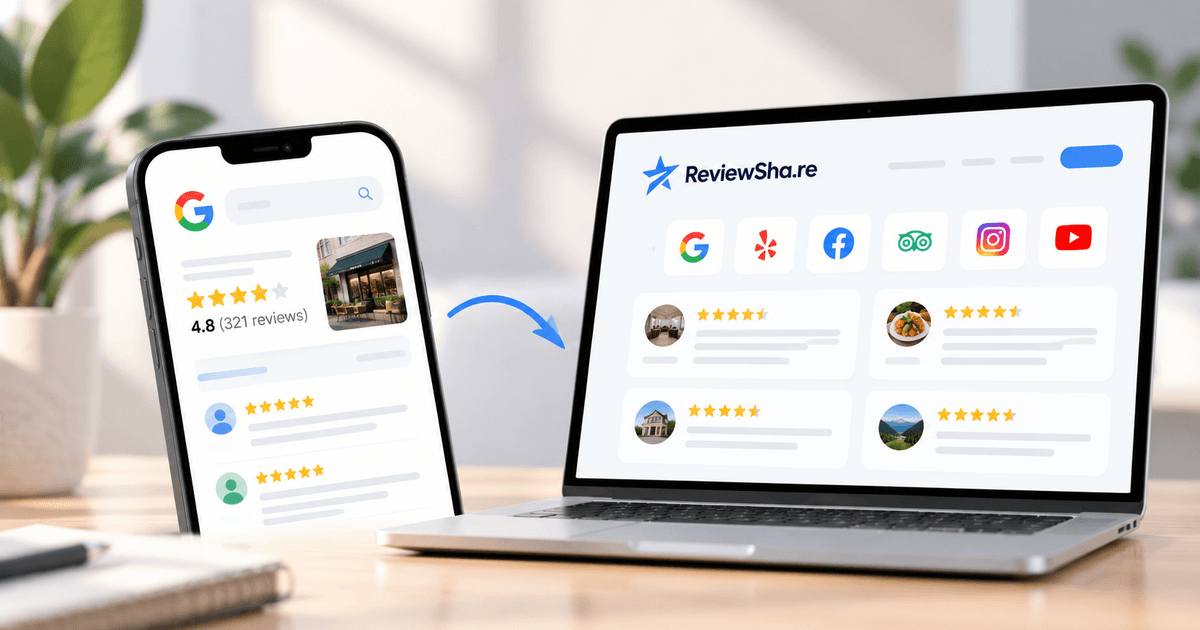
A ReviewShare Page gives your business a branded place to bring together the proof customers have already created about you.
Connect your review platforms and bring your Google reviews into the same experience as reviews from other supported platforms, testimonials, and social proof. Instead of asking a prospective customer to search for your reputation, you can share one page that puts it in front of them.
The page is useful because it changes where your reviews work for you.
A Google review no longer has to depend on someone finding your Business Profile first. Your ReviewShare Page can be added to a social bio, shared directly with a prospect, included in an email, linked from your website, or used anywhere else you want customers to see the experiences behind your business.
That is particularly useful for businesses whose reputation is spread across different platforms. Someone can see the broader picture without opening several tabs or searching for each profile separately.
The page is also branded to the business, so the experience feels like part of your online presence rather than a directory of disconnected links.
Collect new reviews without relying on memory
ReviewShare also helps with the problem that usually comes before displaying reviews: getting customers to leave them consistently.
Review requests can be automated as part of the collection process. That means businesses do not need to depend entirely on employees remembering to follow up with every customer.
The request still needs to be genuine and compliant with the review platform's policies. Automation handles the repetitive part of the process, not the customer's opinion.
For a small business, that can turn review collection from an occasional activity into an ongoing routine. For an agency managing reputation across multiple clients, it can reduce the amount of manual follow-up required across accounts.
Decide what appears on your ReviewShare Page
Collecting reviews and publishing reviews are related, but they are not the same job.
Some reviews are more useful in particular contexts than others. A long review explaining the customer's experience with a specific service may be perfect for a service page. A short comment may make more sense in a compact website widget. Another review may not add anything useful to the page you are building.
ReviewShare gives businesses control over the content they publish, allowing them to moderate and select the proof they want to display on their ReviewShare Page and through their marketing.
This does not change the customer's original review on Google. The purpose is to control what you choose to feature through your own ReviewShare experience.
That distinction matters. Your Google Business Profile remains a public source of customer feedback. ReviewShare gives you a way to curate the social proof you actively use in your own marketing.
Put selected reviews directly on your website
Not every visitor is going to click away from your website to research your reviews.
They shouldn't have to.
ReviewShare's embeddable widgets let businesses display selected reviews and social proof directly on their websites. Instead of placing a generic "customers love us" statement next to a call to action, you can put the customer's own experience there.
Placement matters.
A homepage may benefit from reviews that speak broadly about the business. A service page can feature feedback about that particular service. A conversion-focused page may need concise proof near the point where a visitor is deciding whether to contact, book, or buy.
The review stays useful because it appears at the moment the prospect needs reassurance.
Measure more than your Google star rating
It is tempting to judge a review strategy by one number: the average star rating.
That number matters, but it doesn't tell the whole story.
Start with review volume. How many new Google reviews are you receiving each month? Compare that with the number of customers you serve and the number of review requests you send. If hundreds of customers receive requests and almost nobody responds, the timing, channel, or request itself may need work.
Look at recency as well. A large collection of old reviews tells customers about the business in the past. A continuing flow of reviews gives them more current information about the experience.
Then read what people actually write.
Repeated themes are useful. If customers keep mentioning fast communication, that may be one of the reasons people value the business. If complaints repeatedly mention scheduling, response times, or a particular part of the service, the review data is pointing toward something worth investigating.
You can also look at what happens when reviews are used outside Google.
Are people visiting your ReviewShare Page? Which proof is getting attention? Are people interacting with the review content you have chosen to publish?
ReviewShare's analytics dashboard gives businesses a way to track performance around their ReviewShare presence rather than stopping at the number of reviews collected. That helps connect reputation management with the way prospective customers actually interact with the proof you are sharing.
For agencies, measurement also makes review management easier to report. Instead of telling a client only that their review count increased, you can build a clearer picture around collection, reputation, content, and engagement.
Build a Better Google Review Strategy Into the Customer Journey
Businesses usually don't have a review problem because customers have nothing good to say. More often, there is no system for capturing what customers already think.
Someone has a great experience, nobody asks for feedback, and the moment passes.
Someone does leave a review, but nobody responds.
A detailed five-star review gets published on Google and stays there, even though the same review could help a prospect who is currently looking at the business's website.
A negative review points to a recurring issue, but nobody connects it with the other customers who have mentioned the same thing.
These are separate missed opportunities, but they come from the same problem: reviews are being treated as isolated ratings rather than part of the customer journey.
A more useful process is ongoing.
Ask genuine customers for feedback at an appropriate point. Make leaving a review easy. Respond when there is something worth acknowledging or resolving. Pay attention to patterns in what customers say. Then reuse the strongest social proof in the places where future customers are deciding whether to trust you.
Google reviews remain important because Google Search and Maps are major places where customers discover and research businesses. But the reputation you build there can have a life beyond your Google Business Profile.
ReviewShare gives businesses one place to manage that next step. Automate review collection, bring Google reviews together with reviews and social proof from other sources, moderate what you want to publish, create a branded ReviewShare Page, embed selected proof on your website, and track how that content performs.
Your customers have already done the difficult part by sharing their experiences. The next step is making sure the right people can find that proof when it matters.
[CTA: Create Your ReviewShare Page]
FAQs
Do Google reviews help local SEO?
Yes. Google states that local results are mainly based on relevance, distance, and prominence, and that more reviews and positive ratings can help local ranking. Reviews are one part of local SEO alongside an accurate Google Business Profile, your website, and other local search signals.
How do I get more Google reviews for my business?
Ask customers for feedback at a natural point in their journey and make it easy to leave a review with a direct Google review link or QR code.
For businesses collecting reviews regularly, ReviewShare can automate review requests so collecting feedback becomes a consistent process rather than something your team has to remember manually.
How can I showcase my reviews with ReviewShare?
ReviewShare gives businesses multiple ways to collect and showcase customer feedback, social proof and testimonials. Businesses can generate links and QR codes for collecting reviews, create a branded ReviewShare page, and use customizable widgets to feature selected reviews directly on their website.
Reviews and other social proof can be organized and curated before being displayed, giving businesses more control over how their reputation is presented across their own marketing channels.
Can I offer customers a discount for leaving a Google review?
No. Google prohibits offering payments, discounts, free products, services, or other incentives in exchange for reviews. Businesses should ask customers for genuine feedback without influencing the rating or what they write.
Should I respond to negative Google reviews?
Yes, when a response is appropriate. Keep it professional, acknowledge the concern, avoid sharing private customer information, and move complicated issues into a private conversation. If a review violates Google's content policies, businesses can report it for review.